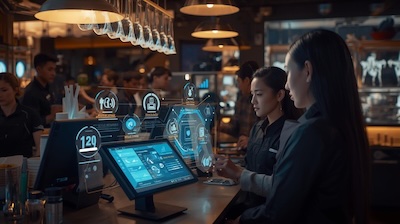
The restaurant industry demands speed, accuracy, and intelligent automation. Modern POS systems restaurants rely on now operate as full command centers, managing payments, inventory, staffing, and customer engagement. With competition rising and customer expectations evolving, choosing the right restaurant POS system is one of the most strategic decisions any owner can make.
Smarter POS Systems Restaurants Need in 2026
Today’s restaurants operate in a fast-paced digital ecosystem. Guests want quick service, secure payments, and flawless accuracy. Legacy systems simply cannot keep up. The best POS systems restaurants use today must integrate ordering, kitchen communication, labor tools, and reporting into one seamless experience. Without this level of connectivity and the support of Secure Hospitality Solutions, inefficiencies surface, errors multiply, and customer satisfaction declines.
Cloud POS Systems for Restaurants vs. Traditional Systems
The shift toward a cloud POS for restaurants continues growing rapidly. Cloud-based systems offer remote management, real-time data, automatic updates, and scalable growth. Owners can access reports from any device, update menus instantly, and manage staff with ease.
Traditional POS systems restaurants use still function but lack flexibility and require expensive on-site maintenance. For most restaurants, especially those planning to expand—cloud-based platforms deliver the best long-term performance and value.
Core POS Features Restaurants Need in 2026
Real-Time Inventory Automation
Automated inventory tracks stock levels instantly, reduces food waste, and helps maintain precise food cost control for fast food quick services. Restaurants save countless hours previously spent on manual counting. Accurate inventory management is one of the most critical POS features for restaurants.
Advanced Restaurant Payment Solutions
Guests expect multiple payment options tap-to-pay, digital wallets, QR codes, and split bills. Modern restaurant payment solutions streamline checkout and reduce payment errors, enhancing the overall guest experience.
Mobile POS System & Tableside Ordering
A mobile POS system for restaurants allows servers to take orders directly at the table, increasing accuracy and speeding service. For cafés, bars, and high-volume dining rooms, this feature is transformational.
Kitchen Display Systems (KDS)
Digital kitchen display systems replace paper tickets and send orders instantly to the back of the house. This eliminates confusion, speeds preparation times, and improves order accuracy.
CRM and Loyalty Tools
POS-integrated CRM systems store customer preferences, order histories, and loyalty points. Personalized marketing becomes easier and far more effective.
Labor and Scheduling Tools
Smart labor forecasts identify peak hours, helping managers schedule staff more efficiently. This reduces payroll waste and improves staff satisfaction.
Advanced Features Shaping the Future of POS Systems Restaurants Use
Beyond core functionality, the newest generation of POS systems includes advanced features that elevate operational efficiency and guest satisfaction. These emerging capabilities give restaurants a competitive edge in an increasingly tech-driven marketplace, especially when supported by Skytab.
AI-Driven Forecasting
AI tools now analyze historical sales, seasonal patterns, local events, and even weather forecasts to anticipate customer demand. This allows restaurants to prep ingredients more accurately, reduce food waste, and optimize labor scheduling with greater confidence.
Multi-Location Management
For expanding brands, centralized dashboards make it possible to manage all locations from one unified interface. Owners can monitor inventory, adjust menus, and review performance data across all branches without switching systems.
Dynamic Upsell Engine
AI-powered upsell technology intelligently recommends upgrades, combos, or add-ons based on customer preferences and buying behavior. These suggestions boost average order value while enhancing the overall dining experience.
Voice-Activated Commands
Voice-enabled tools allow staff to interact with the POS hands-free, making it easier to multitask during busy hours. This improves speed, hygiene, and safety in high-pressure kitchen environments.
POS System Needs for Restaurants by Type
Different restaurant formats operate with distinct workflows, meaning their POS requirements vary significantly. Choosing the right features ensures smoother operations and better customer service.
Quick-Service Restaurants (QSRs)
QSRs rely on ultra-fast order processing and efficient queue management to handle high-volume foot traffic. Integrations with digital menu boards and self-service kiosks help reduce congestion and improve accuracy.
Full-Service Restaurants
Full-service establishments benefit from sophisticated table management tools that track seating, coursing, and server assignments. Integrated reservations and tableside ordering streamline the guest experience from the moment they arrive, supporting smooth operations even in environments that also handle pizza delivery.
Cafés and Bakeries
These venues deal with frequent small transactions and products with short shelf lives. A POS that supports barcoding, real-time inventory updates, and ingredient tracking is essential to avoid losses.
Food Trucks
Food trucks require mobile-friendly POS systems that operate smoothly even with inconsistent internet access. Offline mode ensures the business stays functional no matter where it’s parked.
Bars and Nightclubs
Bars and nightclubs depend on fast tab management, seamless split payments, and built-in age verification features. These functions reduce wait times and help staff maintain compliance in high-energy environments.
POS Hardware for Restaurants
Even the most advanced POS software requires reliable hardware to perform effectively. Restaurants need equipment that withstands daily wear, spills, and constant activity.
Terminals and Handheld Devices
Durable, impact-resistant terminals and handheld devices help staff work efficiently in fast-paced settings. Their rugged design ensures longevity even under heavy use.
Printers
Thermal printers remain the preferred choice due to their speed, quiet operation, and reliability. They produce clear order tickets and receipts without requiring ink cartridges.
Cash Drawers
Although many restaurants now lean toward digital payments, cash drawers are still essential for businesses that handle cash transactions. Secure drawers protect revenue and ensure proper accountability.
Network Setup
A stable network with strong Wi-Fi and backup internet solutions prevents service interruptions. Secure connections also help protect sensitive customer and payment data.
Software Considerations When Choosing POS Systems Restaurants Use
Selecting the right POS software requires evaluating features that support smooth, efficient, and error-free operations. The software must be user-friendly and compatible with the restaurant’s daily workflow.
Ease of Use
A clean, intuitive interface reduces staff training time and minimizes order-taking mistakes. This is particularly valuable in environments with high employee turnover.
Customizable Workflows
Restaurants need flexible systems that allow easy adjustments to menus, modifiers, discounts, and reporting rules. Customization ensures the POS aligns with unique operational processes.
Third-Party Integrations
The best POS Systems restaurants use supports integrations with accounting platforms, online delivery services, loyalty tools, and reservation software. These connections create a seamless ecosystem that improves efficiency and reduces manual work.
Security and Compliance
Security is critical as restaurants handle large volumes of digital transactions and sensitive customer data. Modern POS systems must offer strong protection measures to maintain trust and compliance.
PCI Compliance
To keep payment data secure, restaurant POS systems must meet evolving PCI standards. Compliance ensures that sensitive information is properly encrypted and handled.
Data Encryption
End-to-end encryption safeguards information by ensuring data remains protected at every step of the transaction. This helps prevent breaches and unauthorized access.
Costs to Consider When Investing in a POS System for a Restaurant
Understanding the full cost structure of POS systems restaurants use helps make informed purchasing decisions. Some expenses may be obvious, while others can easily be overlooked.
Subscription vs. Upfront Costs
Cloud POS platforms usually run on monthly or annual subscriptions, making them affordable upfront. Traditional systems may require a larger initial investment but fewer recurring fees.
Transaction Fees
Each payment processor charges transaction fees, which can significantly impact profit margins over time. Restaurant owners should compare fee structures carefully when selecting a provider.
Additional Modules
Optional modules such as loyalty programs, online ordering, or advanced reporting can enhance functionality but also raise total costs. It’s important to evaluate which add-ons are truly necessary for the business.
Conclusion
Selecting the right POS systems restaurants need in 2026 is crucial for efficiency, accuracy, and profitability. From mobile POS systems to kitchen display systems, the right platform streamlines operations, improves customer satisfaction, and provides actionable insights. Investing in modern, cloud-based POS systems restaurants use ensures restaurants remain competitive, agile, and ready to thrive in an ever-evolving digital landscape.